Exposing Metrics
Source: https://pm2.keymetrics.io/docs/usage/process-metrics/
Expose Metrics
By plugging custom metrics onto your code, you will be able to monitor in-code values, in realtime.
Quick Start
First install tx2 module:
$ npm install tx2
Then create and app called monit.js:
const tx2 = require('tx2')
const http = require('http')

let meter = tx2.meter({
  name      : 'req/sec',
  samples   : 1,
  timeframe : 60
})

http.createServer((req, res) => {
  meter.mark()
  res.writeHead(200, {'Content-Type': 'text/plain'})
  res.write('Hello World!')
  res.end()
}).listen(6001)
And start it with PM2:
$ pm2 start monit.js
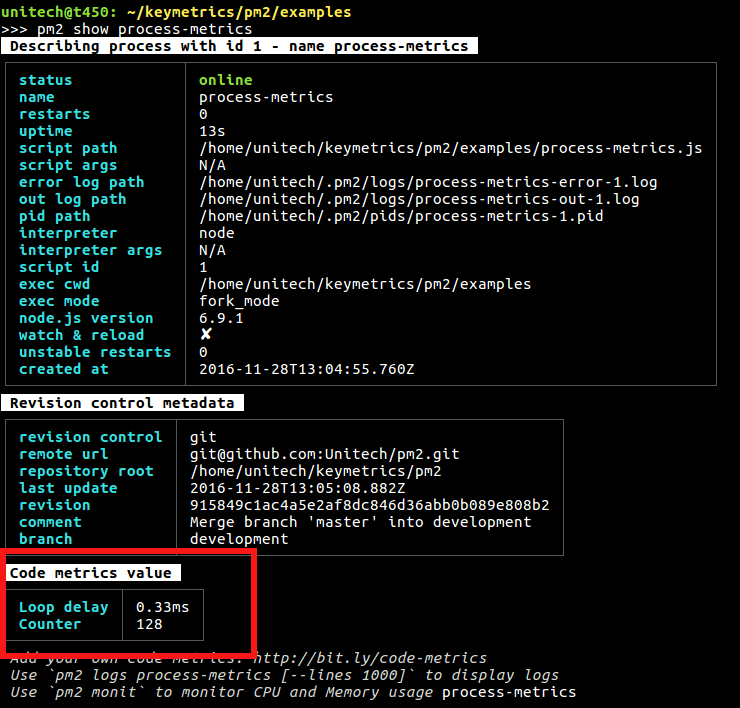
Now show the metrics with the command:
$ pm2 show [app]
# pm2 show monit
Note: metrics are in the section “Code metrics value”.
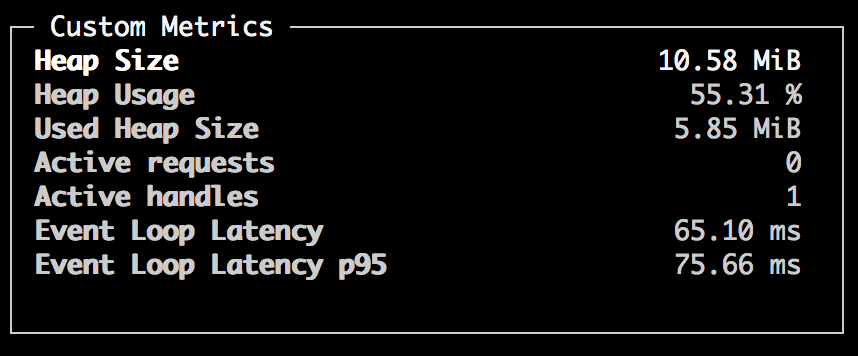
or you can use the Terminal based interface:
$ pm2 monit
Metrics helper available
Then you can program your very own metrics to track important information. 4 different probes are available:
- Simple metrics: Values that can be read instantly
- eg. Monitor variable value
- Counter: Things that increment or decrement
- eg. Downloads being processed, user connected
- Meter: Things that are measured as events / interval
- eg. Request per minute for a http server
- Histogram: Keeps a reservoir of statistically relevant values biased towards the last 5 minutes to explore their distribution
- eg. Monitor the mean of execution of a query into database
API Documentation
Note: Refer to the TX2 API Documentation
Examples
Simple Metric: Simple value reporting
This allows to expose values that can be read instantly.
const tx2 = require('tx2')

// Here the value function will be called each second to get the value
var metric = tx2.metric({
  name    : 'Realtime user',
  value   : function() {
    return Object.keys(users).length
  }
})

// Here we are going to call valvar.set() to set the new value
var valvar = tx2.metric({
  name    : 'Realtime Value'
})

valvar.set(23)
Counter: Sequential value change
Values that increment or decrement.
Example to count Active Http Requests:
const tx2 = require('tx2')
var http = require('http')

var counter = tx2.counter({
  name : 'Active requests'
})

http.createServer(function (req, res) {
  counter.inc()

  req.on('end', function() {
    // Decrement the counter, counter will eq 0
    counter.dec()
  })
  res.writeHead(200, {'Content-Type': 'text/plain'})
  res.write('Hello World!')
  res.end()
}).listen(6001)
Meter: Average calculated values
Values that are measured as events / interval.
Example to count number of queries per second:
const tx2 = require('tx2')
var http = require('http')

var meter = tx2.meter({
  name      : 'req/sec',
  samples   : 1,
  timeframe : 60
})

http.createServer(function (req, res) {
  meter.mark()
  res.writeHead(200, {'Content-Type': 'text/plain'})
  res.write('Hello World!')
  res.end()
}).listen(6001)
Options
samples option is the rate unit. Defaults to 1 sec. timeframe option is the timeframe over which events will be analyzed. Defaults to 60 sec.
Histogram
Keeps a reservoir of statistically relevant values biased towards the last 5 minutes to explore their distribution.
const tx2 = require('tx2')

var histogram = tx2.histogram({
  name        : 'latency',
  measurement : 'mean'
})

var latency = 0

setInterval(function() {
  latency = Math.round(Math.random() * 100)
  histogram.update(latency)
}, 100)